
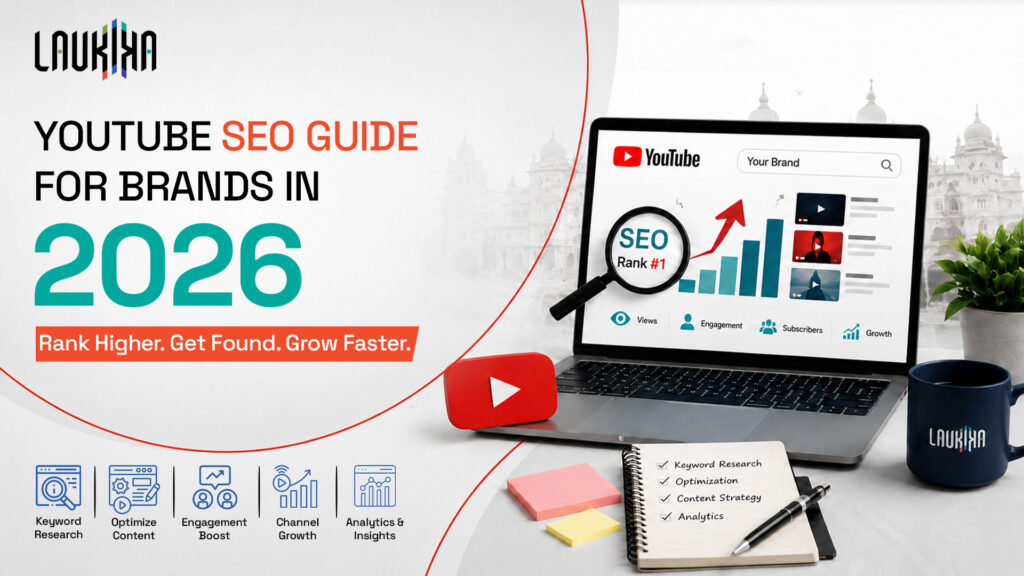
YouTube seo in 2026 is not a simple title-and-keyword exercise anymore. For brands, it now means making each video easy for YouTube, Google, and AI search systems to read, classify, and trust.
The platform now rewards useful, clear, and satisfying videos. Strong metadata still matters, but it works best when the video actually delivers on the promise made in the title and thumbnail.
For a brand channel, every video needs a job. It may answer a customer question, support a campaign, explain a service, or strengthen a content pillar. Over time, these videos should make the channel easier to understand, not just busier.
What Is SEO in YouTube?
It is the process of improving videos and channels so they can appear in YouTube search, recommendations, and other discovery areas.
This includes the visible details, such as titles, descriptions, thumbnails, captions, chapters, playlists, and tags.
But those details only take a video so far. YouTube also looks at whether viewers seem satisfied after they click.
How to Rank Your Video on YouTube
Ranking on YouTube starts with understanding that one video can be discovered in different ways. A viewer may search directly, find your video beside a related upload, or swipe into it through Shorts.
So, how to rank your video on youtube? Build the video for a specific viewer intent, package it well, and keep people watching after the click. Keywords help YouTube understand the topic. Engagement helps YouTube decide whether the video deserves more distribution.
YouTube’s Three Ranking Systems:
YouTube does not use one single ranking path. Search, Suggested, and Shorts work differently. A tutorial may rank through search because it answers a query. A product explainer may grow through Suggested because it relates to videos the viewer already watches. A Short may rise quickly if people stop scrolling and watch till the end.
|
Ranking Surface |
What It Prioritizes |
Best Use for Brands |
|---|---|---|
| Search | Keyword relevance, intent match, watch quality | Tutorials, explainers, product demos |
| Suggested | Viewer history, topic relationship, session depth | Series, case studies, related videos |
| Shorts | First-second retention, replays, swipe behaviour | Quick tips, hooks, trends, awareness content |
Top YouTube Ranking Signals in 2026:
YouTube ranking is shaped by what happens after the video is shown to a viewer.
- Click-through rate: A title and thumbnail should make the video feel relevant enough to open. Not louder. Just more useful than the next option.
- Watch time: If viewers keep watching, the video has probably matched the reason they clicked.
- Viewer satisfaction: A useful video usually leaves small traces behind: a save, a comment, a like, or a viewer coming back to the channel later.
- Session duration: If someone watches your video and then moves to another relevant video, YouTube has a reason to keep connecting your content.
- Retention curve: The first drop-off is worth checking closely. It often shows where the intro dragged, the setup took too long, or the video did not match what the title promised.
- Engagement quality: A thoughtful comment or share is more valuable than passive viewing alone.
For brands, the lesson is simple. Do not optimize only for the algorithm. Optimize for the viewer’s decision-making process. A good video answers a question, removes friction, and gives the viewer a reason to continue watching.
How the 2026 Core Updates Affected YouTube Search Rankings
The 2026 updates pushed YouTube further toward satisfaction-led ranking. Raw watch time still matters, but it is not enough. A shorter video that answers the query clearly can perform better than a longer video that wastes time.
YouTube also separated Shorts more clearly from long-form ranking. This means Shorts performance does not automatically improve or damage long-form performance on the same channel. Brands can use Shorts for reach and quick discovery, while long-form videos should carry the heavier work of education, authority, and search visibility
YouTube Keyword Research
Youtube keyword research gives brands a clearer view of what viewers are already looking for. It keeps content planning grounded in search behaviour instead of internal assumptions.
Where to Find Real YouTube Search Demand:
YouTube Autocomplete:
Start with the broad topic, then try the way a customer would phrase it. The suggestions usually reveal the searches people use in real life.
Related searches:
Open the videos already ranking for your topic and look at the phrases, angles and repeated questions around them.
YouTube Studio Trends:
Use Trends to see what your audience is beginning to search for, not just what your team wants to publish.
Google Trends:
Switch the filter to YouTube Search and compare whether one keyword is rising, seasonal or losing interest.
Competitor videos:
Look at what the top videos are choosing to say first. The title, opening angle, comments, and even repeated viewer complaints can show gaps your brand can answer better.
SEO tools:
Ahrefs, SEMrush, TubeBuddy, and VidIQ are useful for checking demand, but use them as a filter. The final topic should still come from audience need and brand relevance.
Match Keywords to Search Intent and Funnel Stage:
|
Funnel Stage |
Intent |
Video Example |
|---|---|---|
| Awareness | Learn a concept | “What Is Video SEO?” |
| Consideration | Compare or evaluate | “YouTube SEO vs Google SEO” |
| Decision | Take action | “How to Optimize a Brand Channel” |
Build a Keyword Cluster to Avoid Cannibalization
Do not create multiple videos targeting the same keyword in the same way. Build clusters instead.
Example: A marketing agency can create one pillar video on “YouTube SEO for Brands” and supporting videos on thumbnails, descriptions, Shorts, analytics, and AI search. Each video has a role, and the channel becomes more organized.
YouTube SEO Tips for Every Video
Write Titles That Earn Clicks:
A title has to do two jobs at once. It should tell the viewer exactly what the video covers, while still giving them a reason to choose it over ten similar results.
Example: Instead of “SEO Strategy,” use “YouTube SEO Guide: How Brands Can Rank in 2026.”
Keep the promise realistic. A sharp title may improve clicks, but if the video does not match it, retention will drop quickly.
Optimize the First 125 Characters of Your Description
Do not waste the opening line of the description. Use it like a search snippet.
Example: “For brand teams planning YouTube in 2026: title structure, thumbnail choices, captions, and AI search basics.”
A company introduction can come later. The first line should help a viewer decide whether the video is the one they meant to find.
Use Tags, File Names, and Categories Correctly
Before uploading, rename the video file in a way that reflects the topic, such as youtube-seo-guide-2026.mp4.
Tags still have a place, but they are not the main driver anymore. Use them for close variations, spelling differences, and topic reinforcement. Choose the category carefully too, because it helps place the video beside similar content.
Design Thumbnails That Lift CTR
A thumbnail should be understood in a second. Use one message, one visual focus, and enough contrast for the viewer to read it on mobile.
Example: For a video on SEO mistakes, the thumbnail could show “5 SEO Mistakes” with a clear warning cue.
Do not let the thumbnail promise something the video does not cover. That kind of click usually costs you later.
Add Chapters and Timestamps
Chapters make longer videos easier to scan. They also help viewers move directly to the part they came for.
Example:
0:00 Introduction
1:20 Keyword research
3:10 Title and thumbnail strategy
5:00 AI search optimization
For brand videos, this small structure makes tutorials, webinars, and explainers feel less heavy.
Upload Accurate Captions and Subtitles
Captions make the video easier to follow, especially for viewers watching without sound. They also give YouTube a cleaner text version of what is being said.
Auto-captions are useful, but they need a review. For brands speaking to audiences across regions, subtitles can also help the same video travel further.
Use relevant Hashtags:
Add a small set of hashtags at the end of the description. Three to five is usually enough.
Example: #YouTubeSEO #VideoMarketing #DigitalStrategy
Use hashtags as signposts, not decoration. Too many of them can make the description look careless.
How to Optimize a YouTube Channel
Optimize Your Channel Name and About Section:
Your channel name should be easy to connect with the brand. The About section should do a little more work. It should tell a new visitor what the channel covers, who it helps, and what kind of videos they can expect.
Example: “Laukika Consultancy Solutions helps brands grow through SEO, digital strategy, paid media, content marketing, and performance-led campaigns.”
Use natural language. Do not turn the About section into a keyword list.
Build a Channel Trailer That Converts Visitors:
For a consultancy brand, the trailer does not need to feel like an ad film. A tighter approach often works better: a few clips from explainers, campaign breakdowns, client-focused topics, and practical marketing insights. Keep the message simple. What does the channel help people understand?
Use Playlists to Build Topical Authority:
Think of playlists as a guided route through the channel. A viewer who starts with one SEO video should be able to find the next useful one without guessing what to search.
For a brand channel, playlists can be grouped by practical themes: SEO Strategy, YouTube Marketing, Paid Media, AI Search, and Brand Growth. Name them like clear content sections, not storage folders.
Set a Posting Cadence and Content Pillars:
A channel becomes harder to follow when every upload comes from a last-minute idea. Content pillars keep the calendar tied to what the brand wants to be known for.
For Laukika, that could mean SEO explainers, paid media insights, AI search updates, campaign breakdowns, and brand growth guides. The cadence can be weekly, fortnightly, or monthly, as long as it is realistic enough to maintain.
YouTube SEO for Google AI Overviews and AI Search
YouTube videos are increasingly useful beyond YouTube itself. Google AI Overviews, AI Mode, Perplexity, and ChatGPT with browsing can use videos as sources when the content is structured clearly.
Why YouTube Dominates AI Overview Citations
YouTube gives AI systems a lot to work with. A good video has spoken explanations, captions, descriptions, timestamps, and sometimes a supporting page around it. Long-form videos are especially useful because they usually explain the “why” and the “how,” not just the quick answer.
The Fact: A detailed video with a transcript, chapters, and clean metadata is easier for AI search systems to interpret than a short clip with little context.
For brands, this creates an opportunity. A well-structured explainer can support YouTube ranking, Google visibility, and AI search visibility at the same time.
What AI Systems Extract From a Video
AI systems look for machine-readable and context-rich elements.
- Transcripts and captions
- Title and description
- Chapters and timestamps
- On-screen text
- Linked landing pages
- Brand and author signals
A video that explains one topic clearly is easier to extract than a video that covers too many ideas at once.
AI Overviews vs. AI Mode vs. Perplexity vs. ChatGPT
| Platform | How It Uses Content | Video Opportunity | Brand Action |
|---|---|---|---|
| AI Overviews | Pulls from search results to form a summary | Clear explainer videos may be cited | Add chapters and transcripts |
| AI Mode | Lets users explore a topic through follow-up questions | Helpful videos can support deeper answers | Cover common follow-up questions |
| Perplexity | Shows answers with cited sources | YouTube links can appear beside articles | Publish stronger educational videos |
| ChatGPT | Uses browsing when web access is available | Fresh videos may be referenced through supporting pages | Embed videos on relevant landing pages |
Add Schema Markup to Your Video’s Landing Page
When you embed a YouTube video on a website page, add VideoObject schema for that specific video. The basics are enough: title, description, thumbnail, upload date, duration, and the video URL.
The video should not sit alone on the page. Add a brief summary, a few takeaways, a transcript, or an FAQ section around it. This gives Google more written context to connect with the video.
AI Disclosure Labels and Why Transparency Builds Trust
Clear disclosure protects the brand’s credibility. If a video uses AI-generated visuals, a fast scrolling, not patient searching. The opening seconds matter more than the description.
Optimize the First 2 Seconds for Retention
A Short must make sense immediately. Start with the result, the problem, or the tension. Do not synthetic voice, or altered footage, say so in the right place. Viewers should not have to guess what is real, edited, or AI-assisted.
This is especially important in sectors where people use content to make decisions, such as education, finance, healthcare, law, and consulting.
YouTube Shorts SEO
YouTube Shorts need a different optimization approach from long-form videos. People do not usually discover them through patient searching. They swipe, pause, watch, or leave within seconds. That means the opening matters more than almost anything else. The title and hashtags still have a role, but they cannot save a slow Short.
Why Shorts Rarely Appear in AI Citations
Shorts usually provide less depth than long-form videos. They may work well for awareness, but they rarely give AI systems enough context to cite as a reliable source. Most Shorts are too brief, too trend-led, or too dependent on visual cues without detailed explanation.
That does not make them unimportant. Shorts can introduce a topic, test hooks, support campaign visibility, and push viewers toward a longer video. For AI visibility, however, brands should rely more on structured explainers, tutorials, webinars, and guides.
YouTube SEO Checklist
Before you film
- Choose one target keyword.
- Confirm the search intent.
- Write a clear hook.
- Build a simple outline.
- Decide the viewer takeaway.
- Prepare captions or a script.
- Plan the thumbnail concept early.
At publish
- Add the keyword naturally in the title.
- Use the first 125 description characters well.
- Upload a custom thumbnail.
- Add chapters and timestamps.
- Add accurate captions.
- Use relevant hashtags.
- Select the right category.
- Add end screens and cards.
Channel level
- Update the About section.
- Organize videos into playlists.
- Keep branding consistent.
- Feature important videos on the homepage.
- Maintain a realistic posting cadence.
- Respond to useful comments.
- Link to the official website.
AI and GEO level
- Add transcripts where possible.
- Embed key videos on landing pages.
- Use VideoObject schema.
- Include FAQs on the page that supports the video.
- Add location and language details only where they are useful.
- Disclose AI-generated visuals or altered footage clearly.
- Build future videos around the questions customers actually ask.
How to Measure YouTube SEO Performance
Studio Reach tab
Start with the Reach tab because it shows how often YouTube is testing the video. Look at impressions, click-through rate, and traffic sources together.
If impressions are strong but clicks are weak, the title or thumbnail is probably not doing enough work.
Search Console
Search Console helps you understand how videos or embedded video pages appear in Google Search.
Track impressions, clicks, and queries connected to your video pages.
Use this data to improve descriptions, supporting landing pages, and future video topics.
AI visibility tools
AI visibility tools can show whether your brand appears in AI Overviews, Perplexity, or chatbot-style search results.
Track which videos are cited, which topics are missing, and which questions competitors answer better.
Then use those gaps to plan new videos.
YouTube SEO Mistakes to Avoid
- Overpromising in the title: “Rank #1 overnight” may get a click, but it usually loses the viewer. Keep the claim sharp, but believable.
- Starting too slowly: A long hello, logo animation, or background story can wait. Open with the reason the person clicked.
- Writing descriptions like keyword lists: The description should still read like a human wrote it. Add the keyword where it fits, then explain the video properly.
- Leaving captions and chapters for later: For tutorials, webinars, and explainers, these are not extras. They make the video easier to follow and easier to understand.
- Posting whatever is ready first: Random uploads make the channel harder to read. Stay close to a few topics the brand wants to own.
Frequently Asked Questions
What is SEO in YouTube?
How long does YouTube SEO take to show results?
Do YouTube tags still matter in 2026?
How is YouTube SEO different for brands than for individual creators?
Do YouTube Shorts need the same SEO as long form videos?
How do you get a YouTube video cited in Google AI Overviews?
Conclusion
YouTube SEO in 2026 still comes down to one practical question: is the video useful enough for people to choose it, watch it, and trust it?
For brands, that means planning videos with a clear search intent, packaging them well, and making the channel feel organized over time. Keywords, thumbnails, captions, chapters, and schema all help. But they work best when the video itself answers something the audience genuinely cares about.
As AI search grows, well-organized videos will become even more valuable. For brands, the opportunity is clear: build videos that help people first, and the algorithm has more reasons to follow.
Recent Blogs
Top 15 Mistakes in SEO Friendly Website Design
A website can look professional and still struggle to attract visitors from Google. The problem may not be the content
The AI Search Visibility Mistake Most Brands Overlook
A brand can rank well on Google, attract organic traffic and still remain absent when potential customers ask AI platforms