
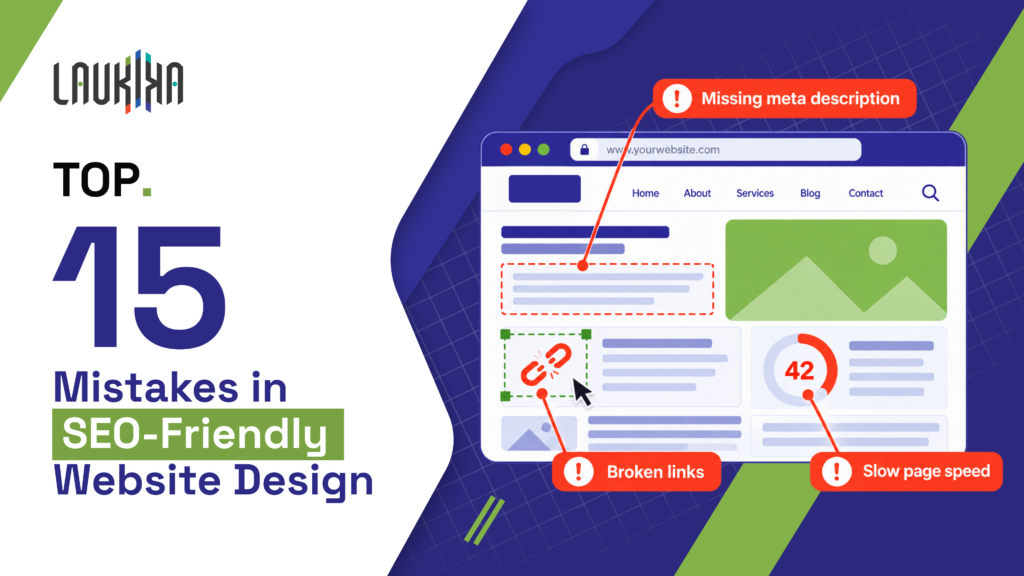
A website can look professional and still struggle to attract visitors from Google. The problem may not be the content itself. Slow-loading pages, confusing navigation, broken links and technical errors can make it harder for search engines to find important information.
SEO friendly website design helps prevent these issues by considering search visibility and user experience from the start, rather than treating SEO as a final step.
These problems are easy to miss during a visual review. A menu might work well on a laptop but become difficult to use on a phone. A redesigned page might look better but lose traffic because its URL has changed without a proper redirect. Understanding how the website works is just as important as making it look good. Here are 15 common mistakes to look for, why they matter and what you can do to fix them.
What Is SEO Friendly Website Design?
SEO friendly website design means building a website that visitors can use easily and search engines can crawl, understand and index. It covers the way pages look, how information is organised and how the website performs across different devices.
The basics of SEO friendly website design involve more than choosing colours, fonts and images. A website also needs clear navigation, useful content and a technical setup that allows search engines to access important pages.
Four elements are particularly important:
- Crawlability: Make important pages accessible through working links and correct technical settings.
- Content structure: Use clear headings, logical page categories and descriptive navigation.
- Mobile usability: Make text, menus, buttons and forms easy to use on smaller screens.
- Performance: Reduce unnecessary loading delays and prevent unexpected page movement.
These elements work together. A website may look attractive, but visitors will struggle if they cannot find information or use its features. Building these basics into the design from the beginning is usually easier than fixing problems after launch.
Why Do Website Design Mistakes Affect SEO Performance?
Website design mistakes can make it harder for search engines to discover and understand a website. For example, important pages may have no internal links, duplicate URLs may create confusion, or incorrect indexing settings may prevent pages from appearing in search results. Poor content organisation can also make the relationship between pages less clear.
These problems affect visitors, too. A slow page, confusing menu or difficult contact form can discourage people from exploring the website. Core Web Vitals help measure loading performance, responsiveness and visual stability, and they are used by Google’s ranking systems. However, not every design or usability issue is a direct ranking factor. The goal is to make the website useful, accessible and technically sound while helping visitors find what they need.
15 Common Mistakes in SEO Friendly Website Design
If you’re wondering how to design a SEO friendly website, start by checking the problems below. They cover mobile usability, website structure, content presentation and technical SEO. Each mistake includes a practical way to identify the issue and improve the website.
1. Ignoring Mobile-Friendly and Responsive Website Design
A website may look fine on a desktop but become difficult to use on a phone. Text might be too small, buttons may be difficult to tap, or a fixed-width layout may push content beyond the screen. These problems frustrate visitors and can make important information harder to access. Google primarily uses the mobile version of website content for indexing, so essential information should remain available across devices.
Three fixes can help:
- Use responsive layouts: Replace fixed-width designs with flexible layouts that adjust to different screen sizes.
- Improve mobile navigation: Make menus, links, buttons and form controls easy to use with a finger.
- Check content consistency: Keep essential text, links and relevant structured data available on mobile.
Responsive website design should adapt the experience, not simply shrink a desktop page. Test important service pages, product pages and enquiry forms on different screen sizes before launch.
2. Creating Poor Website Structure and Navigation
Visitors should not have to click through several unrelated pages to find a service. Unclear menu labels, disconnected pages and overly complicated navigation can make a website difficult to explore. Important content may also receive fewer internal links than it needs.
A clear SEO friendly website design structure groups related pages and gives each one a logical place. This helps visitors move through the website and gives search engines useful links to follow.
For example, a simple service hierarchy could look like this:
Home → Services → Individual Service Page
A digital agency could place its SEO service under Services, then link to relevant case studies and contact information. Review your navigation as if you were a first-time visitor. If you struggle to find an important page, simplify the menu or create a clearer link to it.
3. Overlooking Website Speed and Core Web Vitals
A page can finish loading and still feel slow. The main image may appear late, buttons may respond slowly, or the layout may shift while someone is reading. These issues make the website less comfortable to use. Core Web Vitals help measure three parts of this experience:
- Largest Contentful Paint (LCP): Measures how quickly the main content appears. The recommended target is 2.5 seconds or less.
- Interaction to Next Paint (INP): Measures responsiveness to interactions. The recommended target is 200 milliseconds or less.
- Cumulative Layout Shift (CLS): Measures unexpected layout movement. The recommended target is 0.1 or less.
These targets are assessed at the 75th percentile of visits and do not guarantee rankings. Use PageSpeed Insights to assess important pages. Check images, scripts and layout behaviour, then fix the specific problems the results identify.
4. Using Unoptimised Images and Heavy Visual Elements
Large images, portfolio galleries and animated banners can make a website look impressive, but oversized files can slow down loading. Embedded videos and unnecessary animations may add further weight. The solution is not to remove every visual element, but to make sure each one serves a purpose.
Try these improvements:
- Compress images: Reduce file sizes while keeping enough quality for the page.
- Use suitable formats and sizes: Consider WebP or AVIF and serve responsive image sizes for different screens.
- Handle images properly: Add useful alt text to informative images, use empty alt attributes for decorative images and lazy-load suitable below-the-fold images.
Avoid lazy-loading the main image that visitors need to see immediately. Also review videos and animations that compete with important content for loading resources. Good image optimisation for SEO helps retain the website’s visual quality without adding unnecessary loading delays.
5. Using an Incorrect Heading Hierarchy
Headings help visitors understand how information is organised. Problems arise when heading tags are chosen only for their appearance. For example, a page might jump from H1 to H4 because the designer wants smaller text. This can make the relationship between sections less clear.
Consider this example:
Incorrect: H1: Website Design Services → H4: Our Process
Better: H1: Website Design Services → H2: Our Process → H3: Design and Development
The second example creates a more logical structure. Use CSS to change heading sizes rather than selecting heading levels based on appearance. Each heading should describe the content that follows, and subsections should sit under relevant parent sections.
A clear H1–H3 structure makes pages easier to scan and understand. There is no fixed number of headings that guarantees better rankings. Focus on organising the information in a way that makes sense to readers.
6. Hiding Important Content Inside Images and Visual Effects
Promotional graphics and animations can make a website more engaging, but they should not replace important page content. If service details, product information or calls to action appear only inside an image, visitors may struggle to read them on smaller screens. People using assistive technology may also miss that information.
Two changes can prevent this:
- Keep essential content in HTML: Write service descriptions, product specifications, prices and calls to action as readable page text.
- Make interactive elements accessible: Ensure sliders, tabs and expandable sections expose meaningful information and can be used properly.
Images should support the message rather than carry all of it. For example, a banner can feature a product photograph while the offer and its conditions remain available as text. This also makes updates easier because the content can be changed without creating a new graphic. Accessible HTML content improves usability and makes important information easier to maintain.
7. Neglecting Internal Linking and Creating Orphan Pages
An orphan page is a page with no internal links pointing to it. Visitors may struggle to find it through normal navigation, and search engines may have difficulty discovering it through the site’s internal link structure. This can happen when a blog post is published but never linked from related content.
To improve internal linking for SEO:
- Add relevant contextual links: Connect related articles, service pages and case studies where useful.
- Use descriptive anchor text: Choose wording that tells visitors what they will find on the linked page.
- Find orphan pages: Use a website crawler to compare discovered URLs with your sitemap and content inventory.
An XML sitemap can help search engines discover URLs, but it does not replace useful internal links. Review pages with no incoming links and decide whether they need links, consolidation or removal. Not every orphan page needs to stay, especially if it is outdated or no longer useful.
8. Creating Complicated URLs and Duplicate Page Versions
URLs should be consistent and reasonably easy to understand. Complicated paths and unnecessary parameters can make website management harder, while multiple URLs leading to the same content may create duplication issues.
For example:
Before: /page.php?id=482&cat=7
After: /services/website-design/
The clearer version is easier to interpret, but shorter URLs do not automatically rank higher. The important step is to manage URL variations correctly.
Use descriptive, consistent URL paths and avoid changing established URLs without a good reason. Where duplicate or similar pages need to remain accessible, use an appropriate canonical tag to identify the preferred version. Permanently moved pages should redirect to relevant replacements. Check that internal links and sitemap entries point to the intended URLs. Do not remove parameters required for website functionality. Focus on avoiding unnecessary duplication and keeping the preferred URLs consistent.
9. Blocking Search Engines from Crawling or Indexing Important Pages
A useful page may be missing from Google because of an overlooked technical setting. A development site might still have an indexing restriction, a CMS could add a noindex directive, or a robots.txt rule may block an important page.
Check these four areas:
- Robots.txt: Look for rules that accidentally block crawling of important pages or resources.
- Indexing directives: Check meta tags and HTTP headers for unintended noindex instructions.
- Google Search Console: Use URL Inspection to review reported crawling and indexing information.
- Live website settings: Confirm that production settings, canonical tags and sitemap entries are correct.
Robots.txt controls crawling, while noindex tells search engines not to include a page in search results when the directive can be accessed and processed. They are not interchangeable. A URL blocked from crawling may still appear in search under certain circumstances. After fixing a restriction, allow time for search engines to revisit the page. Use Google’s technical requirements as a reference.
10. Ignoring SEO Page Titles and Meta Descriptions
Page titles help visitors understand what a search result offers. If every page uses the same title, it becomes harder to tell them apart. A generic title such as “Services | Company Name” provides little information about the page.
Meta descriptions are not direct ranking factors, and Google may generate a different snippet from the page content. Still, accurate metadata helps present your pages clearly in search results.
Consider this example:
Before: Services | Company Name
Improved title: Website Design Services for Growing Businesses | Company Name
Example meta description: Explore website design services focused on usability, responsive layouts and search-friendly development. Find the right approach for your business website.
Write a distinctive title for each important page and make sure it accurately describes the content. Include the main topic naturally instead of repeating keyword variations. Use the meta description to summarise the page and help visitors decide whether it is relevant.
Meta descriptions are not direct ranking factors, and Google may generate a different snippet from the page content. Still, accurate metadata helps present your pages clearly in search results.
11. Designing Pages Without Considering Search Intent
A page can target the right keyword and still fail to answer the visitor’s question. Someone looking for information expects something different from someone comparing services or ready to contact a business.
For example, a person searching “what is responsive website design” may want a definition, examples and an explanation of how it works. A person searching “website design agency” may want to compare services, view case studies and find contact details.
Using the same sales-focused layout for both searches may not meet either visitor’s needs.
Before creating a page, review relevant search results and consider what information people are likely to expect. Organise the content around that purpose rather than copying a competitor’s layout. An informational article should make learning easy, while a commercial service page should explain the offering, provide useful evidence and make the next step clear. Matching search intent helps make the page more relevant to the person who visits it.
12. Overlooking Accessibility and User Experience
A website should be easy to use, but small design choices can make everyday tasks difficult for some visitors. Low-contrast text, unclear form labels, missing keyboard focus indicators and intrusive pop-ups can create unnecessary barriers.
A practical accessibility review should cover:
- Text readability: Use suitable text sizes, clear fonts and sufficient contrast.
- Keyboard navigation: Make interactive elements accessible and show a visible focus state.
- Forms: Label fields clearly and explain errors in plain language.
- Page behaviour: Avoid pop-ups and menus that block content or make navigation difficult.
Automated tools can identify some issues, but manual testing is also important. Try completing common tasks using only a keyboard and, where possible, test with assistive technologies.
Accessible website design makes the site more inclusive and helps people use it successfully. Although accessibility is an important part of good website quality, individual accessibility improvements should not automatically be described as direct Google ranking factors.
13. Relying on JavaScript Without Considering SEO Rendering
JavaScript supports interactive menus, product filters and dynamically loaded content. It is not inherently bad for SEO, but problems can arise when important content or links are unavailable when search engines process the page.
As part of SEO friendly website design and development, check three things:
- Crawlable links: Use standard anchor elements with valid href attributes for navigation.
- Rendered content: Use Google Search Console’s URL Inspection tool to check whether important content and links are present.
- Rendering method: Consider server-side rendering or pre-rendering when they improve reliability, performance or access to important content.
For example, a service page might look complete in a browser but have a rendering issue that prevents some content from being processed as expected. Google can render many JavaScript-driven websites, although rendering involves additional steps and other crawlers may behave differently. Test the actual implementation instead of assuming all JavaScript is harmful or that every page will render correctly. Google’s JavaScript SEO guide provides further guidance.
14. Implementing Incorrect or Misleading Structured Data
Structured data gives search engines additional information about a page. When implemented correctly, it can make certain pages eligible for enhanced search appearances. Incorrect or misleading markup may cause validation problems or make a page ineligible for particular features.
Follow these three checks:
- Choose a relevant schema type: Use types such as Organization, LocalBusiness, Product or Article only when they accurately describe the page.
- Match visible information: Ensure prices, reviews and product details are supported by the content visitors can see.
- Validate the markup: Use Google’s Rich Results Test for supported rich-result features and the Schema Markup Validator for general Schema.org validation.
Valid markup does not guarantee that Google will display a rich result. Google decides which eligible enhancements appear, and other requirements may apply. Review structured data after making changes and avoid adding schema simply because a plugin offers it. Use it when it accurately describes the page and meets the applicable guidelines.
15. Redesigning a Website Without an SEO Migration Plan
A redesign can affect more than the website’s appearance. URLs may change, useful content may disappear, internal links may break and page metadata may be lost. Without a migration plan, these changes can disrupt existing search visibility.
Before launch, follow this checklist:
- Map existing URLs: Record important pages and their intended destinations on the new website.
- Set up redirects: Use relevant 301 redirects for permanently moved pages and avoid unnecessary redirect chains.
- Validate the new website: Check status codes, canonical tags, indexing settings, metadata, navigation and essential content.
- Monitor after launch: Use Google Search Console and analytics to investigate broken pages, indexing problems and unexpected organic traffic changes.
Do not redirect every old URL to the homepage. Where possible, send visitors to the most relevant replacement page. Keep a copy of the old URL list and test important redirects after deployment. A website can look perfect on launch day while still having technical issues, so continue monitoring after the redesign goes live.
SEO Friendly Website Design Guidelines: A Practical Pre-Launch Checklist
Before publishing a new website or completing a redesign, use these SEO friendly website design guidelines to check for common problems.
- Check mobile responsiveness: Test menus, text, buttons and forms on different screen sizes.
- Measure page speed: Review Core Web Vitals and investigate slow loading, delayed interactions and layout shifts.
- Review navigation: Make important pages easy to find through menus and relevant links.
- Verify heading hierarchy: Check that headings describe their sections and follow a logical order.
- Optimise images: Compress files, use responsive sizes, add appropriate alt text and review loading behaviour.
- Audit internal links: Fix broken links and identify important orphan pages.
- Review metadata: Check page titles and meta descriptions for accuracy and duplication.
- Test crawlability and indexability: Inspect robots.txt, noindex directives, canonical tags, status codes and sitemap entries.
- Check JavaScript rendering: Confirm that important content and navigation appear in the rendered page.
- Validate structured data: Make sure relevant markup is accurate and matches visible content.
Do not treat this checklist as a one-time task. Repeat these checks after major redesigns, platform updates and changes to important page templates. Once the website is live, review performance and indexing reports regularly to catch problems that were not obvious before launch.
Frequently Asked Questions About SEO Friendly Website Design
How can I make my website SEO friendly?
Use a responsive design, clear navigation, useful content, fast-loading pages and crawlable links. Check indexing settings regularly and fix technical issues that prevent important pages from being accessed.
What Are the Basics of SEO Friendly Website Design?
The basics of SEO friendly website design include mobile usability, clear page structure, accessible content, internal linking, good performance and correct technical settings. These help visitors use the website and search engines understand its pages.
How to Create an SEO Friendly Website Design Structure?
To create an SEO friendly website design structure, group related pages into clear categories, use descriptive navigation labels and link relevant content together. Keep important pages accessible without unnecessary layers.
Does Website Design Affect Google Rankings?
Website design can affect search performance through mobile content, crawlability, page experience and access to useful information. However, visual appearance alone does not guarantee higher rankings.
What Should I Check Before Launching an SEO Friendly Website?
Check mobile layouts, page speed, navigation, metadata, indexing settings, internal links, JavaScript rendering and structured data. Test important URLs and redirects before launch, then monitor performance.
Final Thoughts: Build a Website That Works for Users and Search Engines
A website should do more than look good. Visitors need to find information, understand your services and complete tasks without unnecessary difficulty. Search engines also need access to the content and links that explain what each page offers. Reviewing these 15 mistakes gives you a practical starting point for improving design and website SEO optimisation. Sometimes the most useful fix is a simple one, such as correcting a broken link, restoring an indexing setting or reducing a large image’s file size.
Planning a redesign or struggling to get traffic?
A website SEO audit can help identify issues with your technical setup, content structure and user experience, so you can prioritise the fixes that matter most.
Recent Blogs
Top 15 Mistakes in SEO Friendly Website Design
A website can look professional and still struggle to attract visitors from Google. The problem may not be the content
The AI Search Visibility Mistake Most Brands Overlook
A brand can rank well on Google, attract organic traffic and still remain absent when potential customers ask AI platforms