
Internal Linking Strategy for Better SEO in 2026
- August 24, 2026
- Purnima
- No Responses
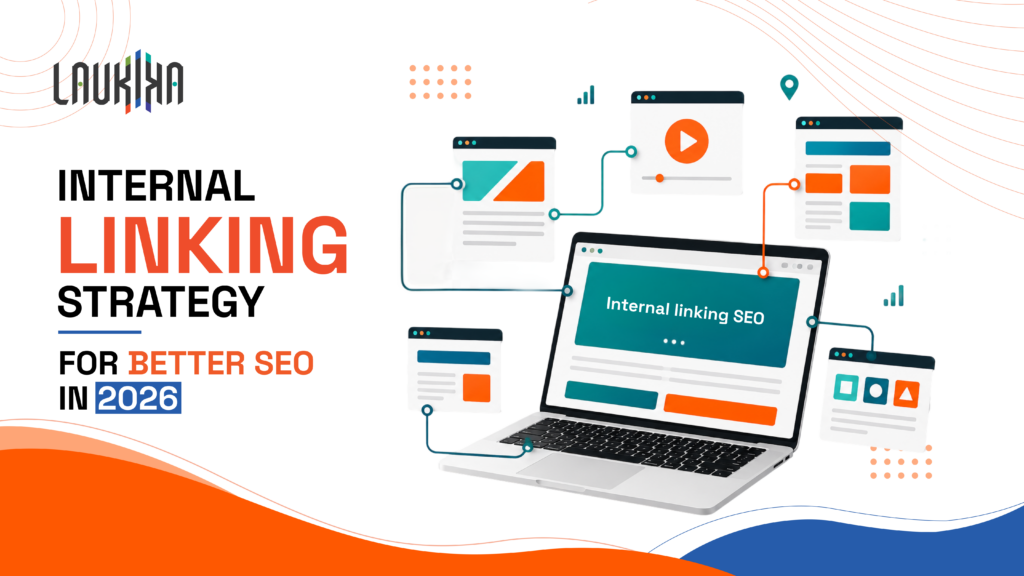
A strong internal linking SEO strategy can make a website easier to navigate while helping search engines understand how its pages connect. Despite being one of the simpler SEO practices, internal linking is often overlooked or added without much thought. The right links, however, can guide readers to relevant information and help important pages get discovered more easily.In 2026, internal linking matters for more than simply passing authority from one page to another. Search engines are getting better at understanding context, topics and user intent. This makes the way you connect your content just as important as the content itself.
A thoughtful internal linking strategy can help strengthen topical relevance, improve navigation and make important pages easier for both users and search engines to discover.
When done well, internal links can make your website easier to navigate, strengthen your SEO foundation and give your content a better chance of being discovered and ranked.
What Is Internal Linking in SEO and How Internal Links SEO Actually Works
What is internal linking in SEO? It is the practice of adding links from one page of your website to another page on the same website. These links help visitors discover relevant content while giving search engines a clearer understanding of how your pages are connected.
When used thoughtfully, internal links SEO can support better site navigation, strengthen topical relevance and help search engines find and understand important pages.
Helps search engines discover pages:
Internal links give search engine crawlers clear paths to follow, making it easier to find and index content across your website.
Builds connections between related topics:
Linking relevant pages together helps establish relationships between your content and can strengthen your website’s overall topical structure.
Passes authority between pages:
Internal links can help distribute link equity across your website, allowing important pages to benefit from the authority of other relevant pages.
Improves user navigation:
A useful internal link gives readers an easy next step instead of making them search for related information themselves. This can encourage visitors to explore more of your website.
Highlights important pages:
Linking to key service pages, guides or high-priority content from relevant pages can signal that these are important parts of your website.
Why Internal Linking Is Important for SEO and What Happens When You Ignore It
Understanding why internal linking is important for SEO starts with looking at how people and search engines move through your website. Internal links create pathways between related pages, helping visitors discover useful information and helping search engines understand your site structure. Without them, even valuable content can remain buried, disconnected from other pages and harder to discover.
Internal Links Help Search Engines Crawl and Index Every Page You Publish
Search engines discover new and existing pages by following links across your website. When important pages are linked from relevant content, search engine crawlers can find and understand them more easily. This is particularly helpful for deeper pages that might otherwise be overlooked or take longer to discover.
Internal Links Distribute Link Equity From Strong Pages to Weaker Ones
Not every page on your website earns backlinks or authority equally. Internal links can help pass some of that value from stronger pages to relevant pages that need more visibility. Linking naturally from established content can give important but less-visible pages a better chance of being discovered and performing well. While internal linking redistributes the authority already on your site, pairing it with professional link building services in Bangalore can help bring in fresh external authority for those stronger pages to begin with.
Internal Links Establish Your Site Hierarchy and Topical Authority
Your internal links can show how different topics and pages fit together. Connecting detailed articles to broader topic pages creates a clearer content structure and helps search engines understand your areas of expertise. It also makes your website easier to navigate, especially when you have a large amount of content.
Internal Links Improve User Experience and Reduce Bounce Rate
A useful internal link gives readers somewhere relevant to go next. Instead of finishing an article and leaving, they can explore a related guide, service or resource with one click. This creates a smoother browsing experience and can encourage visitors to spend more time exploring your website.
Ignoring Internal Links Means Leaving Rankings on the Table
You can have great content and still miss SEO opportunities if your pages aren’t connected properly. Without internal links, valuable pages may remain buried, while search engines have fewer signals to understand your site. A thoughtful linking strategy helps your existing content work together instead of competing or sitting in isolation.
Types of Internal Links and Which Ones Drive the Most SEO Value
Internal links can look simple, but the way you use them can make a real difference to how your website is understood and navigated. Not every internal link carries the same purpose. Some are placed within content to guide readers to a related topic, while others help visitors move through the main sections of a website.
The most useful internal links are usually the ones that feel natural and genuinely help the reader. For example, if someone is reading about technical SEO, linking to a detailed article about page speed gives them an obvious next step. It adds value to the content while creating a clear connection between the two pages.
A strong internal linking SEO approach typically uses a mix of contextual, navigational, footer and breadcrumb links. Each plays a different role in helping users move around your website and helping search engines understand its structure.
Contextual links often have the most SEO value because they sit within relevant content and provide clear context about the page being linked to. Navigational links, on the other hand, help highlight the main sections of your website, while breadcrumbs make it easier to understand where a page sits within the overall structure. Footer links can support accessibility to important pages but should be used carefully rather than filling the footer with unnecessary links.
The goal isn’t to decide which type is “best” and use it everywhere. A healthy internal linking structure comes from using the right type of link in the right place. When links are relevant, useful and placed naturally, they can help your content work together as one connected website rather than as a collection of separate pages.
Contextual Links
Contextual links are links placed naturally within the main content of a page. They point readers to another page that adds more value or explains a topic in greater detail. For example, an article about SEO audits could link to a detailed guide on technical SEO. Since these links appear within relevant content, they can be useful for both readers and search engines.
Navigational Links
Navigational links help visitors move around your website and find key pages quickly. You’ll usually see them in the main menu or navigation bar, linking to pages such as Home, Services, About, Products or Contact. Besides making your website easier to use, a clear navigation structure also helps search engines understand which pages are important.
Footer Links
Footer links appear at the bottom of a website and usually point to useful pages such as Contact, About, Privacy Policy or important service pages. They can support navigation, but they shouldn’t be treated as a place to add dozens of keyword-heavy links. Keep footer links relevant, useful and focused on pages visitors may genuinely need.
Breadcrumb Links
Breadcrumb links show visitors where they are within your website’s structure. For example: Home → Blog → SEO → Internal Linking. They make it easier for users to move back to broader sections without repeatedly using the main menu. Breadcrumbs can also give search engines additional context about how a page fits within your overall site hierarchy.
SEO Internal Linking Strategy That Actually Moves Your Rankings
A strong SEO internal linking strategy isn’t about adding links to every page just for the sake of SEO. It’s about creating useful connections between related content so readers can easily find what they need and search engines can understand how your website fits together. Start by identifying your key pages, topic clusters and high-performing content, then look for natural opportunities to connect them. Use descriptive anchor text, link to deeper pages where relevant and make sure important content isn’t buried several clicks away.
Internal linking also needs regular attention as your website grows. New pages get published, URLs change and older content can become outdated, creating broken links or missed opportunities. Review your links periodically, connect newer content with relevant high-performing pages and remove links that no longer add value. Most importantly, think about the reader before the rankings. If a link genuinely helps someone find the next useful piece of information, it belongs there. If you don’t have the internal bandwidth to manage this consistently, working with an experienced SEO company in Bangalore can help you build and maintain this structure over time.
Map Your Site Architecture Before Adding Any Links
Before adding internal links, take a step back and look at how your website is organised. Identify your main pages, supporting content and the paths visitors are expected to follow. This gives you a clear picture of where links are needed and prevents random or excessive linking. A simple site map can also help you spot important pages that are buried too deep.
Build Your SEO Internal Linking Strategy Around Topic Clusters
A topic cluster connects one broad, authoritative page with several supporting pieces of content around the same subject. For example, a main page about technical SEO could link to articles covering site speed, crawling, indexing and Core Web Vitals. This approach creates meaningful connections between related pages and helps search engines understand your website’s depth and expertise.
Identify and Prioritise Your Power Pages
Not every page needs the same amount of internal linking attention. Start by identifying your power pages — pages that already attract strong organic traffic, earn backlinks, generate leads or are important to your business. Use relevant opportunities from these pages to link towards other valuable content. This can help distribute authority while directing visitors towards pages that matter most.
Assign Every Page One Primary Keyword and One Internal Link Priority
Give each important page a clear primary keyword or search intent so you know what it is meant to rank for. Then decide how important that page is within your internal linking structure. This makes it easier to choose relevant anchor text, avoid competing pages and create links that support a clear purpose rather than simply adding links for the sake of SEO.
How to Build Internal Links for SEO Step by Step
Step 1: Audit Your Current Internal Links to Find Gaps and Orphan Pages
Before adding new links, understand what you already have. Review your website to find broken links, pages with very few internal links and orphan pages that aren’t connected to the rest of your site. This gives you a clear starting point and helps uncover pages that may be valuable but are currently difficult for users and search engines to discover.
Step 2: Use Google Site Search to Find Existing Link Opportunities
You don’t always need to create new content to improve internal linking. A simple Google site search can help you find existing pages that mention a topic you want to link to. Search your domain alongside a relevant keyword or phrase, then review the results for natural places where a link would genuinely help the reader.
Step 3: Write Descriptive Anchor Text for Every Internal Link
Anchor text should give readers a clear idea of what they’ll find when they click. Instead of relying on generic phrases like “click here” or “read more,” use natural, descriptive wording that fits the sentence. Keep it relevant to the destination page but avoid forcing exact-match keywords into every link. The anchor should feel helpful, not written solely for search engines.
Step 4: Link From High-Authority Pages to New Content Immediately After Publishing
When you publish a new page, don’t leave it waiting to be discovered on its own. Look for relevant, established pages that already receive traffic or have strong backlinks, and add links to the new content where they make sense. This can help search engines discover the new page faster while giving existing readers another useful resource to explore.
Step 5: Build and Maintain a Topic Cluster with Internal Links as the Foundation
Think of related content as a connected group rather than separate articles. Start with a broad topic page and connect it to more specific supporting content. Then link those supporting pages back to the main resource and to each other where relevant. Over time, this creates a stronger content structure and makes your expertise across a topic easier to understand.
Step 6: Set Up a Quarterly Internal Link Audit
Internal linking isn’t something you do once and forget. As your website grows, new pages are published, old URLs change and some content becomes outdated. A quarterly audit helps you catch broken links, orphan pages, outdated destinations and missed linking opportunities. It also gives you a regular chance to strengthen connections between your newest and most important content.
Internal Linking Best Practices That Senior SEOs Follow in 2026
A good internal linking strategy is not about hitting a specific number of links on every page. The real focus is on SEO internal linking best practices that make your website easier to navigate, easier to understand and more useful to the people visiting it. Every link should have a reason to exist — whether it helps a reader explore a related topic, supports an important page or gives search engines more context about your content.
One of the simplest rules is to prioritise relevance over quantity. Ten useful internal links are far more valuable than dozens of links added simply to increase the count. Before linking to another page, ask yourself whether the destination genuinely adds something to the conversation. If it does, the link will feel natural rather than forced.
It’s also important to use descriptive anchor text. Phrases such as “learn more” or “click here” give very little context. Instead, use wording that naturally explains what the reader will find on the linked page. This helps users decide whether they want to click while giving search engines additional context about the destination.
Another best practice is to make sure your most important pages are easy to reach. Key service pages, product pages, cornerstone guides and other high-value content shouldn’t be buried several clicks deep. Link to them from relevant, accessible pages so both visitors and crawlers can find them without unnecessary effort.
Avoid creating links simply because a keyword appears on a page. Context matters. An internal link should fit naturally within the surrounding sentence and support the reader’s intent. Over-optimising anchor text or repeatedly linking to the same destination can make your content feel unnatural and may dilute the value of your linking structure.
Finally, treat internal linking as an ongoing part of SEO rather than a one-time task. Websites change constantly. New content gets published, URLs are updated, old pages become outdated and broken links can appear. Regularly reviewing your internal links helps keep your site structure clean and ensures new content becomes part of the wider content ecosystem.
The best internal linking practices are ultimately quite simple: link with purpose, stay relevant, use clear anchor text and always think about the user first.
Prioritise Contextual Links Over Navigational and Footer Links
Contextual links are often more valuable because they sit naturally within the content and relate directly to what the reader is already exploring. Navigation and footer links are still useful, but they serve a broader purpose. For SEO, focus your strongest linking opportunities on relevant, useful connections within the main content.
Link Deep Into Your Site, Not Just to Top-Level Pages
Don’t keep linking back to your homepage, main category pages or broad service pages. Your deeper content deserves attention too. Link to detailed guides, supporting articles and specific service pages when they add value. This helps users discover useful content and gives search engines a clearer path through your entire website.
Keep All Important Pages Within 3 Clicks of the Homepage
Important pages shouldn’t be buried under layers of navigation. Keeping key content within roughly three clicks of the homepage makes it easier for visitors to find and easier for search engines to crawl. This doesn’t mean every page must be three clicks away, but your priority pages shouldn’t feel hidden.
Keep Internal Links Dofollow and Remove Accidental Nofollow Attributes
Internal links are generally meant to be followed by search engines, so unnecessary nofollow attributes can get in the way. Check important internal links, especially after redesigns or migrations, to make sure they haven’t been accidentally marked nofollow. Keeping them crawlable allows search engines to understand and follow your site structure.
Quality and Relevance Beat Volume Every Time
Adding more internal links doesn’t automatically make your SEO better. A few links that genuinely help the reader are usually more useful than a page packed with forced connections. Before adding a link, ask whether it makes sense in the context and whether the destination gives the reader something valuable to explore next.
Update Internal Links When URLs Change or Pages Are Deleted
Pages get moved, renamed and deleted as websites evolve. When that happens, don’t forget about the internal links pointing to them. Replace outdated URLs, remove broken links and redirect users to the most relevant alternative. Regular checks keep your website easier to navigate and prevent valuable internal linking opportunities from disappearing.
Text Ads and Dynamic Ads
Text Ads are compact desktop placements containing a headline, short description and image. They are generally used for economical reach and website traffic.
Dynamic Ads can personalise selected elements using profile information. Their visibility is limited compared with feed formats, but they can support broader campaigns.
Connected TV Ads
Connected TV Ads extend B2B advertising into streaming environments. They are more relevant to brand-building campaigns than immediate lead generation.
This format may suit larger advertisers that already understand their audience and can measure results across several channels.
SEO Internal Links Checker and SEO Internal Linking Tool Comparison 2026
Choosing the right SEO internal links checker depends on what you’re trying to find and how much control you want over your SEO process. If you’re managing a small website, you may only need a free tool to spot basic linking issues. Larger websites, on the other hand, can benefit from dedicated crawling and auditing tools that show orphan pages, broken links, crawl depth and internal link opportunities in much greater detail.
The good news is that you don’t need to invest in an expensive SEO platform just to start improving your internal links. Google Search Console is a useful starting point for understanding how Google sees your website and which pages are receiving internal links. It’s free and particularly useful for getting a baseline view of your site.
For a more hands-on technical audit, Screaming Frog SEO Spider is a popular choice. It crawls your website and gives you a detailed view of URLs, links, crawl depth, redirects and other technical issues. The free version can be enough for smaller websites, while larger sites may need the paid version.
If internal linking is part of a wider SEO workflow, platforms such as Ahrefs and Semrush offer a broader set of tools. Along with site audits, they can help you identify orphan pages, weak internal linking structures and other technical issues. They’re particularly useful for SEO professionals who are already using these platforms for keyword research, competitor analysis and performance tracking.
For WordPress websites, AIOSEO Link Assistant takes a more focused approach. Instead of making you search through pages manually, it can surface internal linking opportunities and help identify orphaned content directly within your WordPress workflow. This can save time when managing a large content library.
The right tool ultimately comes down to your website and your workflow. A small site may be perfectly well served by free tools, while an enterprise website with thousands of URLs will need something more robust. What matters most is not the tool itself, but what you do with the information it provides.
Use these tools to find orphan pages, broken internal links, pages with too few internal links and opportunities to connect related content. Then turn those findings into meaningful links that improve the user journey and strengthen your site structure. A tool can show you where the problems are; the strategy behind your internal links is what determines whether fixing them actually makes a difference.
Google Search Console (Free)
Google Search Console is a good starting point if you want to understand how Google sees your internal linking structure without paying for another tool. Its Links report shows your most internally linked pages and which pages link to them. However, it provides a sample rather than a complete list of every internal link, so it works best as a baseline rather than a full audit tool.
Screaming Frog SEO Spider (Free up to 500 URLs)
Screaming Frog is useful when you want to crawl your website and get a closer look at its technical structure. The free version can crawl up to 500 URLs and helps uncover issues such as broken links, crawl depth and internal linking problems. It’s particularly useful for hands-on SEO audits where you want detailed crawl data rather than just high-level reporting.
Ahrefs Site Audit (Paid)
Ahrefs Site Audit is a strong option if internal linking is part of a broader SEO workflow. It can identify orphan pages, broken internal links and other linking issues during a site crawl. It can also help uncover opportunities to strengthen internal links, making it useful for teams managing larger or content-heavy websites.
Semrush Site Audit (Paid)
Semrush Site Audit takes a wider technical SEO approach while still giving internal linking plenty of attention. Its reports can highlight orphaned pages, pages with limited internal links, internal link distribution and pages passing the most Internal LinkRank. It’s a practical choice if you already use Semrush for keyword research, rankings and broader SEO campaigns.
AIOSEO Link Assistant (WordPress Only — Free and Paid)
For WordPress websites, AIOSEO Link Assistant focuses specifically on making internal linking easier. It can identify orphaned posts, show linking opportunities and suggest relevant pages and anchor text. The feature is available with AIOSEO Pro, making it particularly useful for WordPress teams that want internal linking suggestions directly within their SEO workflow.
| Tool | Cost | Best For | Orphan Page Detection | Platform |
|---|---|---|---|---|
| Google Search Console | Free | Baseline audits, indexation data | Yes | All sites |
| Screaming Frog | Free up to 500 URLs | Full site crawls, broken links | Yes | All sites |
| Ahrefs Site Audit | Paid | Combined SEO workflow |
Yes |
All sites |
| Semrush Site Audit |
Paid |
Full-service SEO campaigns | Yes | All sites |
Internal Linking SEO and AI Search in 2026
Search is no longer limited to the familiar list of blue links. AI-powered search experiences are changing how people discover information, often pulling answers from several pages and sources instead of sending users to a single result. This shift is often referred to as Generative Engine Optimization, and adapting to it usually means rethinking how your content is structured and connected – something an experienced GEO company in Bangalore can help you plan for. This makes the way your website organises and connects its content increasingly important. A clear internal linking structure can help search engines and AI systems understand which pages cover a topic, how those pages relate to one another and where deeper information can be found.
That’s where internal linking SEO becomes more relevant. Internal links create connections between your content, giving search systems additional context about your website. For example, a detailed article about technical SEO could link to related content on crawling, indexing, page speed and Core Web Vitals. These connections help build a clearer picture of the broader topic rather than treating each article as an isolated piece of content.
AI search also places greater emphasis on context and relationships. Simply having a page that mentions a keyword may not be enough to establish its relevance. A well-connected group of useful, closely related pages can demonstrate depth around a subject and make your content easier to understand.
However, internal linking shouldn’t become an attempt to manipulate AI results. There’s no guaranteed number of links or specific structure that will make a page appear in an AI-generated answer. The better approach is to build a website that is genuinely easy to navigate, logically organised and rich in useful information.
Think of your internal links as signposts. They guide visitors to the next useful resource while helping search systems understand how your content fits together. In 2026, that clarity can be an important part of building a website that is ready for both traditional search and the growing world of AI-powered discovery.
How Internal Linking Affects Your AI Overview Citation Rate
Internal links don’t directly guarantee that your content will be cited in Google’s AI Overviews. What they can do is make your website easier to understand. When related pages are connected naturally, search systems get more context about your expertise, the topics you cover and how different pieces of information fit together. Strong internal linking can therefore support content discoverability and topical clarity, but factors such as content quality, relevance and authority still play a major role.
How AI Search Bots Use Internal Links to Map Your Site
AI search systems need to understand how information across your website is connected, not just what appears on individual pages. Internal links act as pathways between related content, helping systems identify topic relationships and supporting information. For example, linking a broad SEO guide to detailed pages on technical SEO, keyword research and page speed creates a clearer content structure. The more logical those connections are, the easier your website is to understand as a whole.
Building an Internal Linking Structure for Maximum AI Search Visibility
Start by building connections that make sense for your readers, rather than trying to create links specifically for AI systems. Link broad topic pages to detailed supporting content, connect closely related articles and use clear, descriptive anchor text. Keep important pages easy to reach and regularly review your links as your website grows. A well-organised content structure can support visibility across both traditional search and newer AI-powered search experiences, and an AI SEO company in Bangalore can help you fine-tune that structure for both.
Common Internal Linking Mistakes That Are Costing You Rankings
Internal linking is easy to overlook, especially when most of the attention goes into keywords, content quality and backlinks. But a weak linking structure can quietly hold your SEO back. If important pages are buried, related content isn’t connected or links lead to outdated destinations, both users and search engines have a harder time navigating your website. A strong internal linking SEO strategy is not about adding more links, it’s about creating the right connections between the right pages, in places where they genuinely make sense.
Here are some common mistakes worth checking on your website:
- Adding links that aren’t relevant: A link should naturally fit the topic being discussed. Forcing unrelated links into an article can confuse readers and weaken the overall content experience.
- Using the same anchor text repeatedly: Reusing identical anchor text across multiple pages can make your linking structure look unnatural. Keep your anchor text descriptive and vary it where appropriate.
- Ignoring orphan pages: Valuable pages that have no internal links pointing to them can be difficult for users and search engines to discover. Make sure important content has clear pathways leading to it.
- Linking only to your homepage or top-level pages: Your deeper guides, service pages and supporting articles need internal links too. A healthy structure connects content throughout the website, not just at the top.
- Adding too many links: More links don’t automatically mean better SEO. Filling a page with unnecessary links can distract readers and make it harder to identify the genuinely useful ones.
- Forgetting about broken or outdated links: Deleted pages, changed URLs and website migrations can leave internal links pointing to the wrong place. Regularly checking and updating them keeps your site structure clean and your user journey intact.
Frequently Asked Questions
What is internal linking in SEO and why does it matter?
What are internal links in SEO and how do they work?
Why is internal linking important for SEO in 2026?
What is the best SEO internal linking strategy for a growing site?
How do I build internal links for SEO step by step?
What are the SEO internal linking best practices?
What is the best SEO internal links checker to use?
Which SEO internal linking tool is best for non-WordPress sites?
Conclusion
A strong internal linking SEO strategy can turn a collection of individual pages into a website that feels connected, useful and easy to navigate. The right links help search engines understand your content while guiding visitors towards information that genuinely adds value.
The key is to focus on relevance, context and consistency rather than simply adding more links. Review your existing structure, connect related content and keep improving it as your website grows.
Recent Blogs
Top 15 Mistakes in SEO Friendly Website Design
A website can look professional and still struggle to attract visitors from Google. The problem may not be the content
The AI Search Visibility Mistake Most Brands Overlook
A brand can rank well on Google, attract organic traffic and still remain absent when potential customers ask AI platforms